Start with what you have
Use a story idea, synopsis, product brief, or character setup—polished writing is not required.
ショート動画脚本プランナー
ReelScriptor は、物語や商品ブリーフをフック、シーン、ショット、台詞、小道具、撮影チェックリスト、投稿文へ整理します。

対応予定
Android · iOS · macOS
料金
Free tools available
アカウント
No account required
From blank page to shooting day
Choose the format, length, platform, and tone. ReelScriptor keeps the creative pieces connected, so your idea is easier to write, review, and film.
Use a story idea, synopsis, product brief, or character setup—polished writing is not required.
Create a title, three-second hook, summary, and a scene-by-scene direction for the video.
Break the script into shots with dialogue, voiceover, actions, locations, and props.
Refine the overview, scenes, shots, checklist, and post copy without losing the rest of the plan.
Keep up to five projects on your device and return to them whenever inspiration comes back.
Copy the result or export Markdown and text files for your next production step.
A practical flow for creators who want structure without giving up their own voice.
Add the idea or brief, then choose the video type, target platform, length, and tone.
Generate a connected hook, scene plan, shot list, dialogue, props, and publishing copy.
Review every section, rewrite what needs your voice, save the project, and export the version you want to shoot.
ReelScriptor App
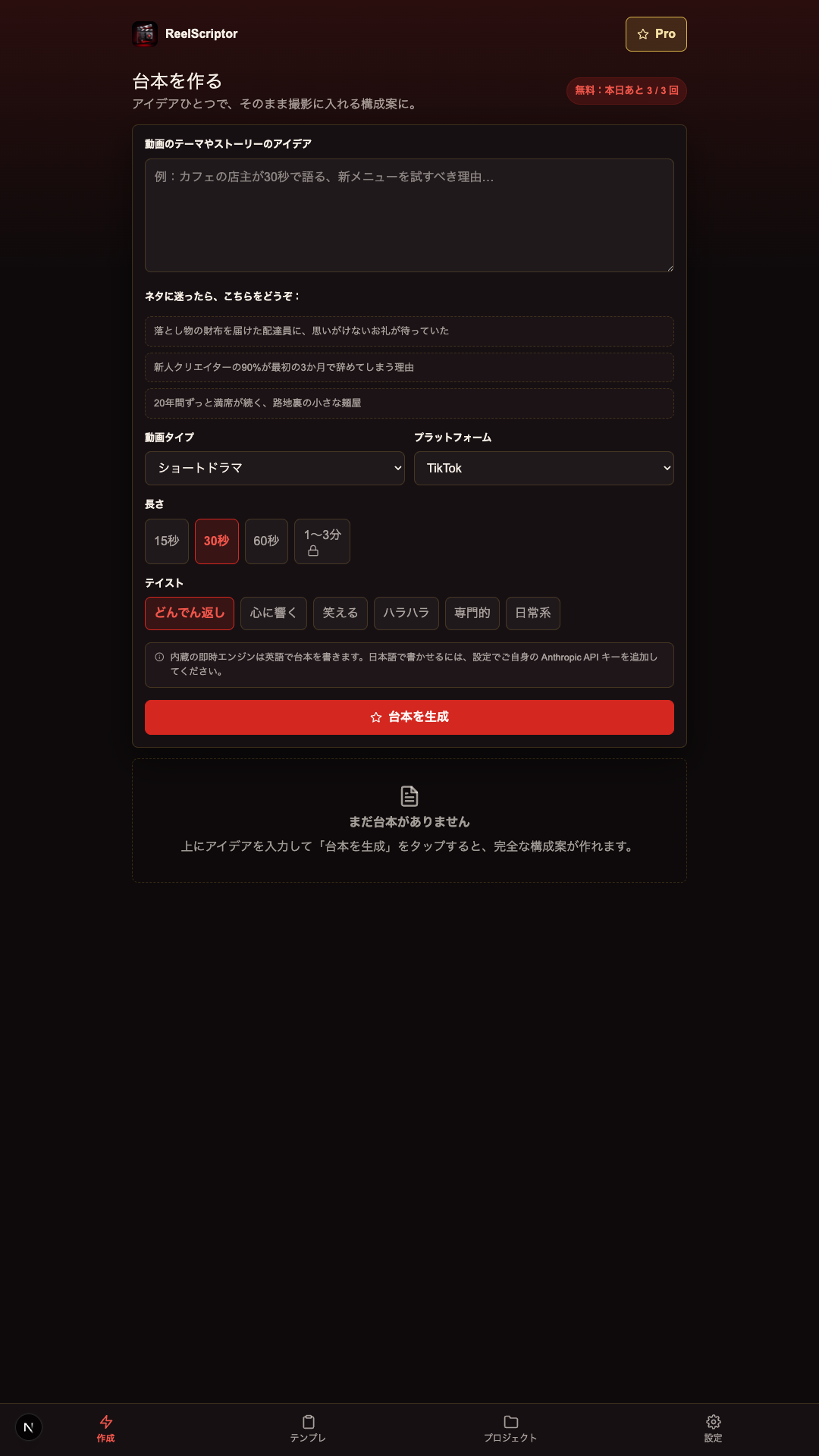
This is a real screen from ReelScriptor. The Create workspace keeps templates, daily free use, setup choices, and structured results close together.
Local by default
Projects, preferences, and usage counters are stored locally in the current app. There is no ReelScriptor account or cloud sync.
Read the ReelScriptor privacy noticeProjects and settings are stored in local device or browser storage.
The built-in structured generator can work without sending your draft to a BLUE GLORIOUS server.
You can use your own Anthropic API key as an optional choice; those requests go directly to Anthropic under its terms.
Export a copy before clearing app or browser data, because local-only projects may be removed.
ReelScriptor gives you a strong working draft. You remain the creative decision-maker and should review the result before filming or publishing.
The current free tools include three script generations and three section regenerations per day, for scripts up to 60 seconds.
If you connect an Anthropic key, keep it private and review Anthropic’s terms, privacy policy, and any charges on your account.
Check facts, originality, rights, safety, and each platform’s rules before you publish or produce AI-assisted material.
A short idea is enough. You can also paste a synopsis, product brief, character setup, or more detailed story notes.
It can organise a title, three-second hook, summary, scenes, shots, dialogue or voiceover, props, locations, shooting checklist, and post copy.
No. The current app stores projects and preferences locally without a ReelScriptor account or cloud sync.
Yes. Treat it as a working draft and review originality, accuracy, permissions, safety, and platform rules before use.
製品、プライバシー、提携について BLUE GLORIOUS へお問い合わせください。