Import or scan
Choose individual video files with Android’s file picker, or scan the media library on your device.
Pemutar video offline
ClipVault adalah pemutar video Android lokal untuk penerbangan, perjalanan, dan koneksi yang tidak stabil.

Dirancang untuk
Android
Biaya
Free to use
Akun
No account required
A calmer library for offline moments
ClipVault focuses on the simple things you need when the signal disappears: finding a file, resuming where you stopped, and arranging what to watch next.
Choose individual video files with Android’s file picker, or scan the media library on your device.
Resume from the last position and keep the screen awake while a video is playing.
Adjust speed from 0.5× to 2×, volume, full screen, and brightness or volume with gestures.
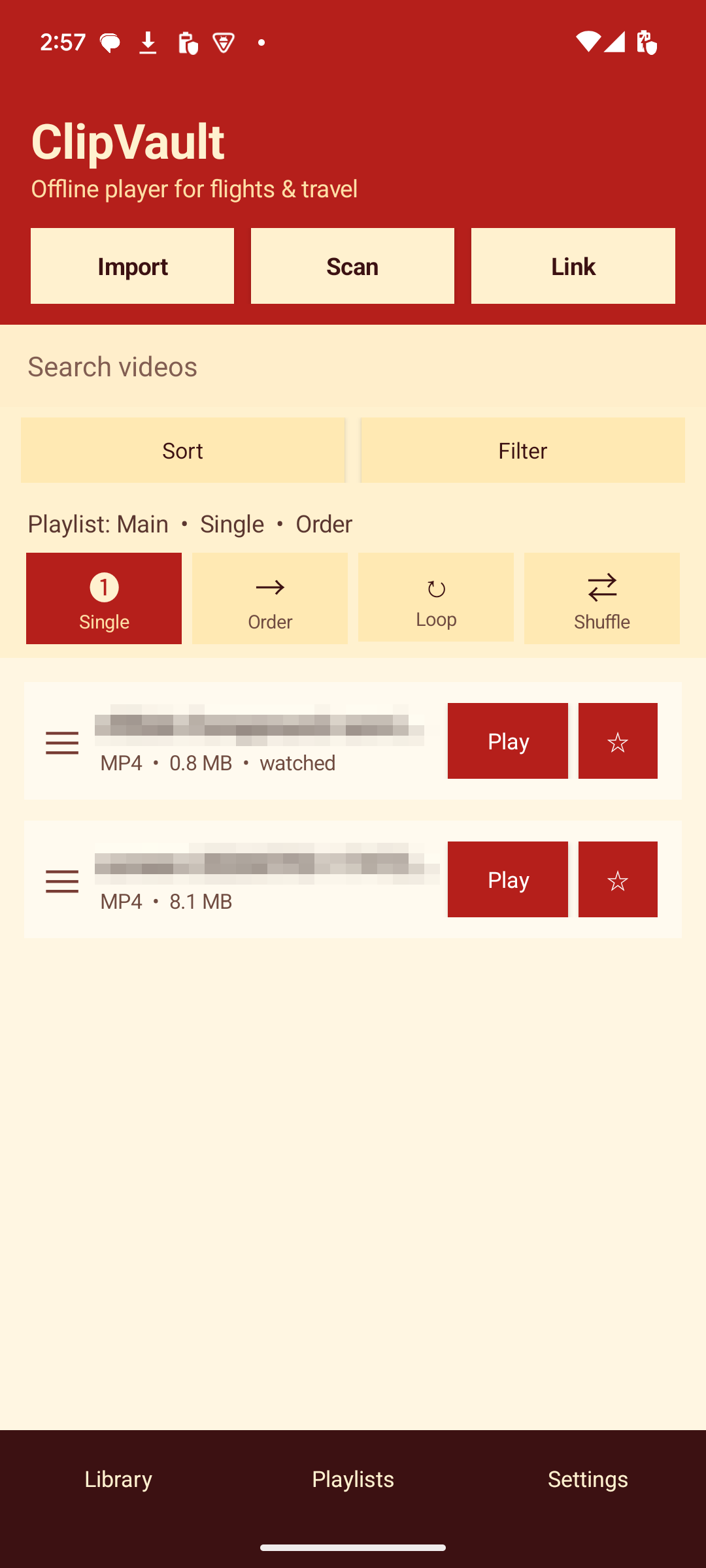
Search, favorite, filter by source, and sort by recently watched, added date, size, or title.
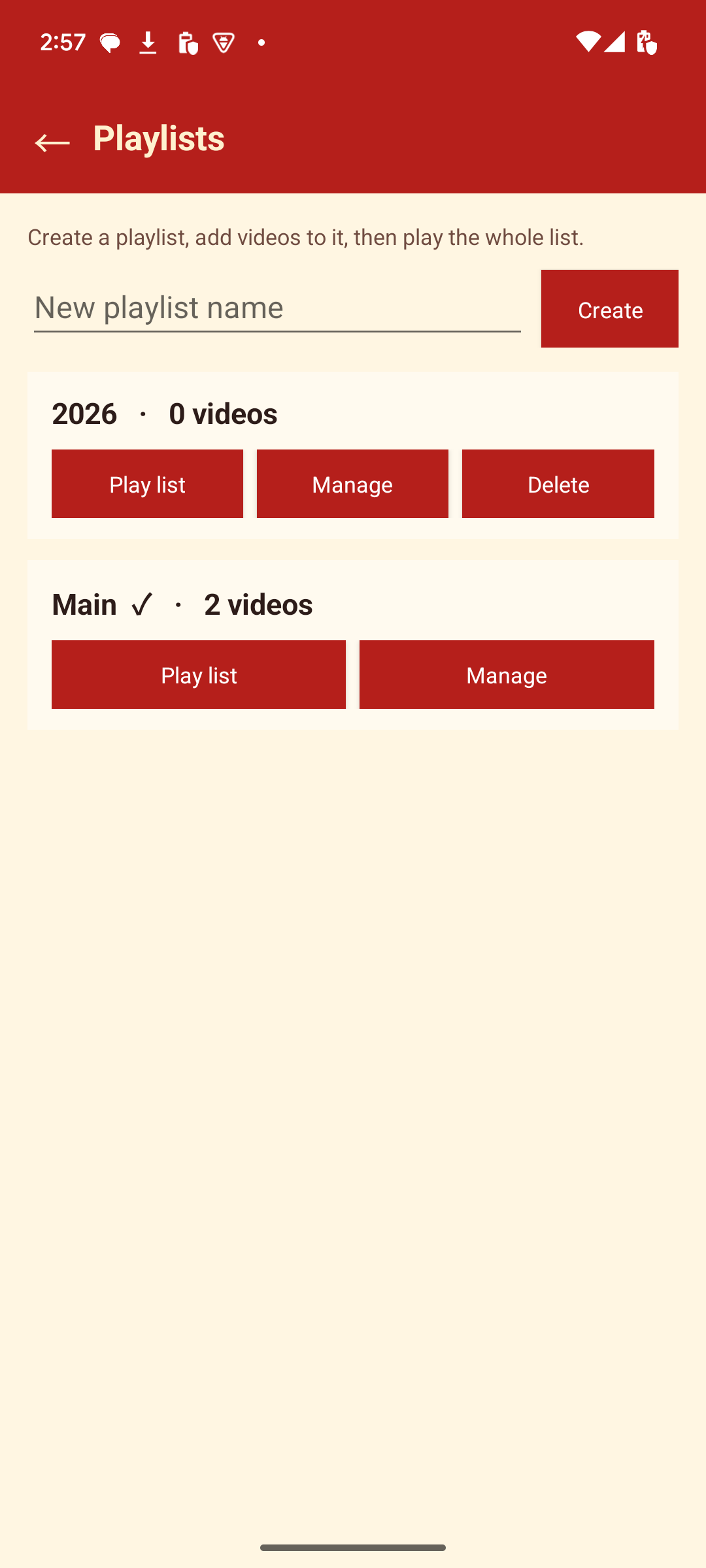
Create named playlists, add or remove videos, reorder them, and play the whole list.
Save local start-and-end clip drafts and jump back to those moments later.
Everything important stays close to the video files already on your device.
Import a file, scan your device library, or use an allowed direct video-file link from a domain you trust.
Search, favorite, sort, filter, and group videos into playlists in the order you prefer.
Play without a network connection, choose single, ordered, loop, or shuffle mode, and continue from where you left off.
ClipVault App
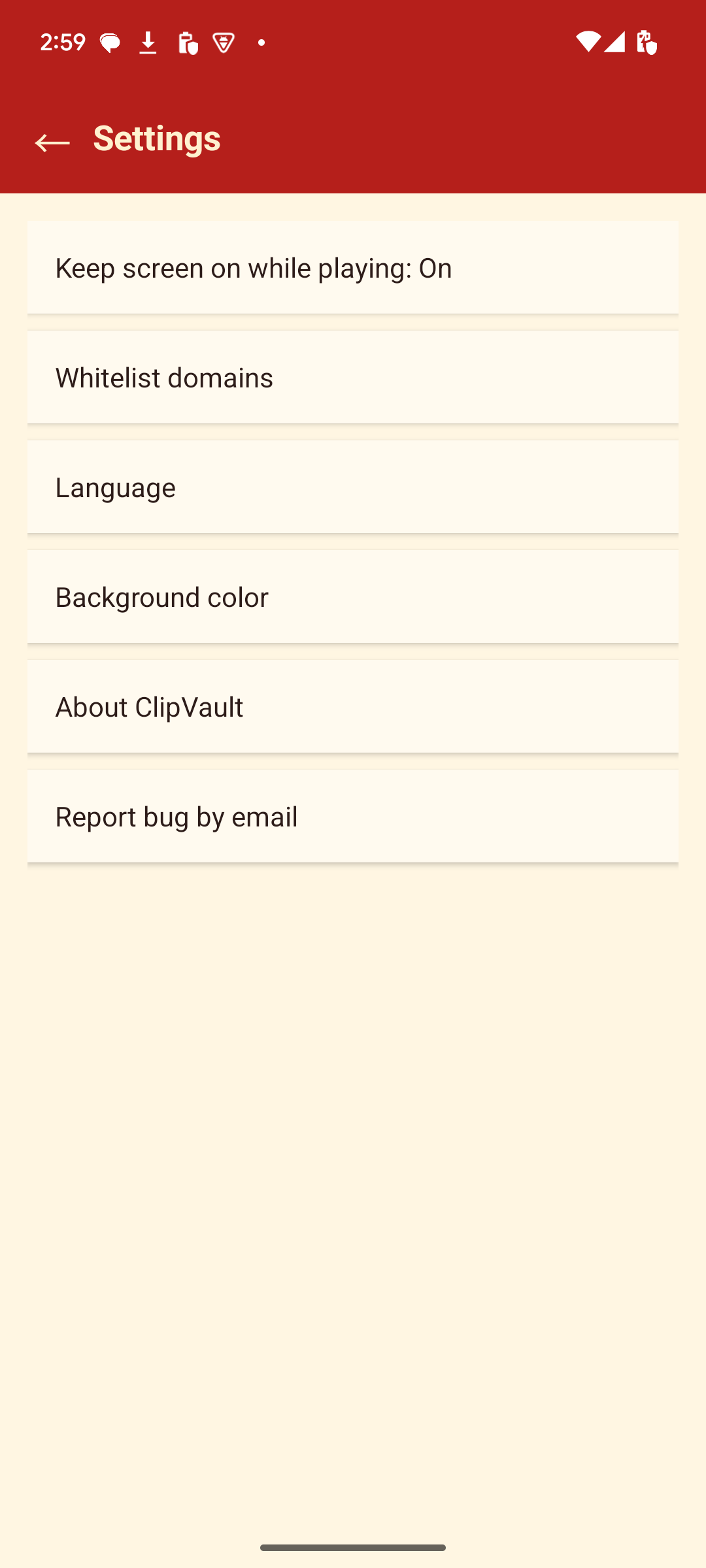
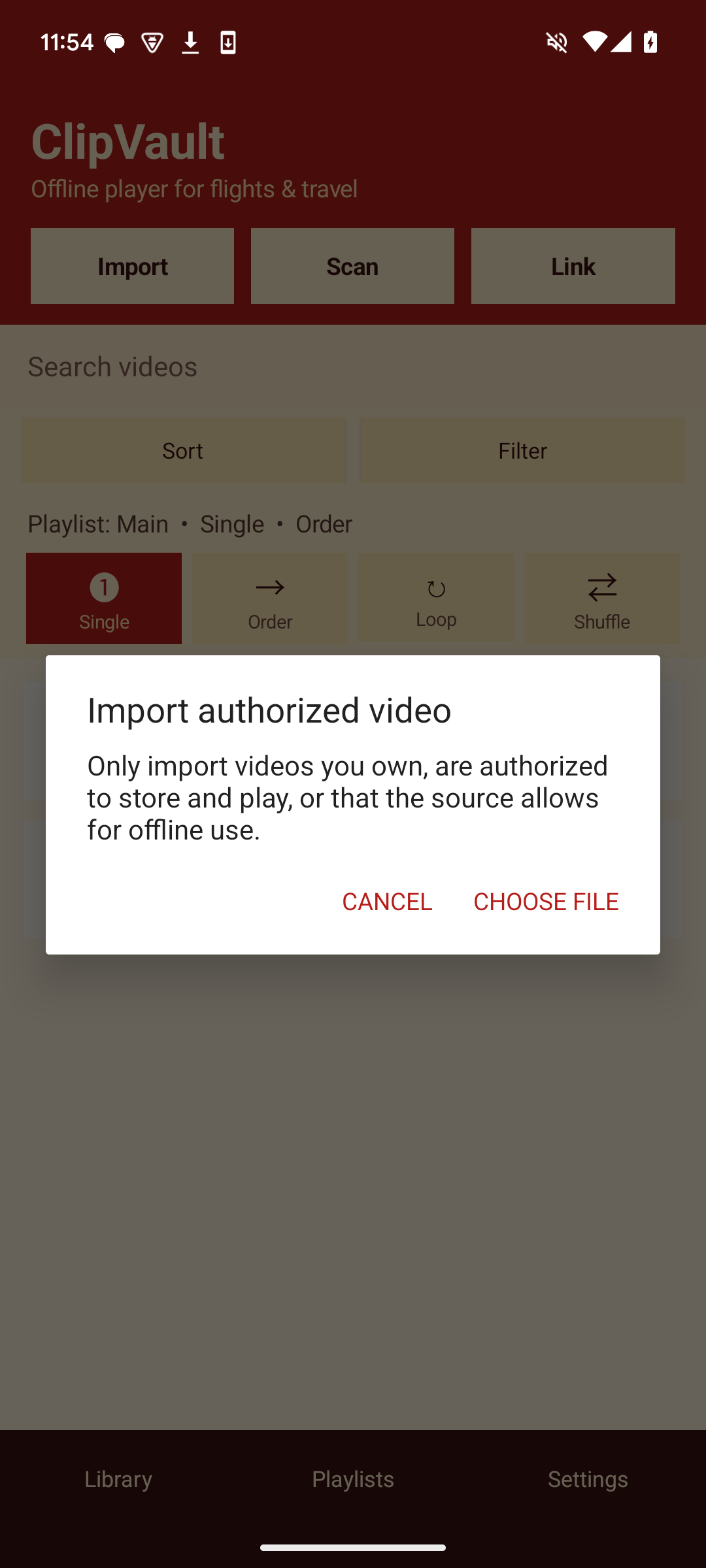
These are real screens from the Android app: the local library, playlists, settings, and the reminder shown before importing a file.
Built around local files
ClipVault does not collect, sell, or share personal data. Your videos and library details stay on your device.
Read the ClipVault privacy noticeVideo files are not uploaded to BLUE GLORIOUS.
Titles, local file references, size, source, added time, favorites, playlists, and playback progress stay locally on your device.
Media access is used only when you choose to scan your library; the Android file picker can add one file at a time.
Removing a ClipVault library record can leave the original video file on your device.
ClipVault helps you play authorised local video. It is not a tool for getting around a platform’s rules or access controls.
Import videos you own, have permission to store and play, or that the source clearly allows for offline use.
ClipVault does not bypass DRM, paywalls, logins, memberships, or other platform access controls.
The Google Play version can use validated direct video-file links; it does not parse or download YouTube, Bilibili, or similar page URLs.
Yes. Once an authorised video file is on your device and added to ClipVault, playback and your local library work offline.
No. Video files and library metadata remain on your Android device; there is no ClipVault account or cloud sync.
No. The Google Play version does not parse or download platform page URLs. It only supports authorised local files and validated direct video-file links.
Not necessarily. Removing the ClipVault record can keep the original file, so use your device’s file manager when you want to delete the file itself.
Hubungi BLUE GLORIOUS untuk pertanyaan produk, privasi, atau kemitraan.